Callouts
Edit a callout's type, title, fold state, metadata, and content with a live preview.
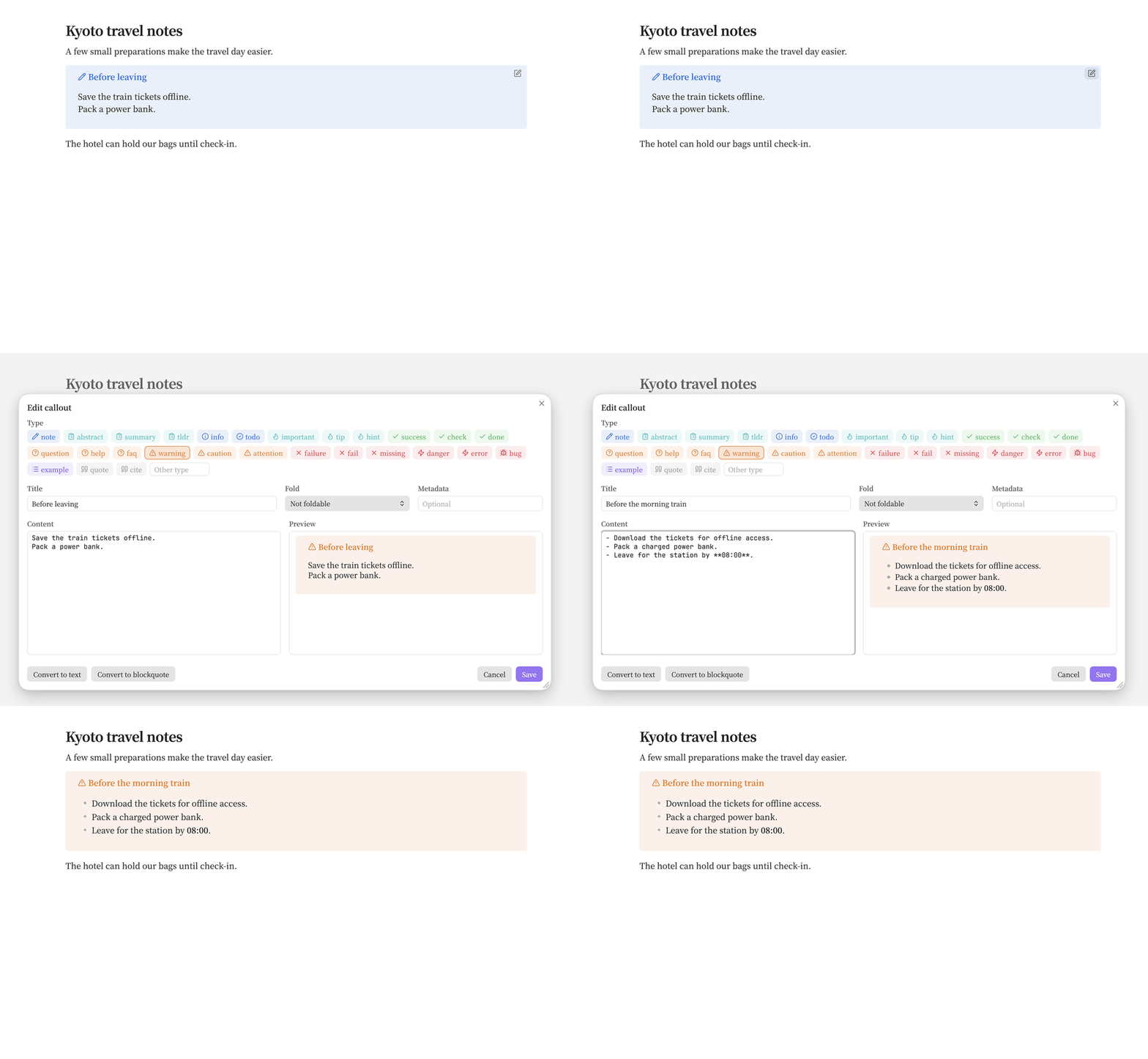
- Edit: hover a callout in Reading View or Live Preview and click Edit callout.
- Insert: run Patches: Insert callout to add one at the cursor or wrap selected lines.
- Unwrap: choose Convert to text or Convert to blockquote in the editor.
The command palette and editor context menu also offer editing and conversion when the cursor is in the callout's source. Header-only edits preserve the body, and saving checks for conflicting changes.
GitHub compatibility
Make GitHub-compatible maps the type to a supported alert, moves the title into the content, and removes the fold sign and metadata:
> [!warning|wide]- Before the morning train
> Download the tickets for offline access.
becomes:
> [!WARNING]
> **Before the morning train**
> Download the tickets for offline access.
The GitHub panel explains remaining differences, including Obsidian-only syntax. Nested callouts must be moved to the top level manually. Set github: true on a note or choose Callouts → GitHub folders to enable the status bar count. Click the count or run Check callouts for GitHub to open the note’s report.
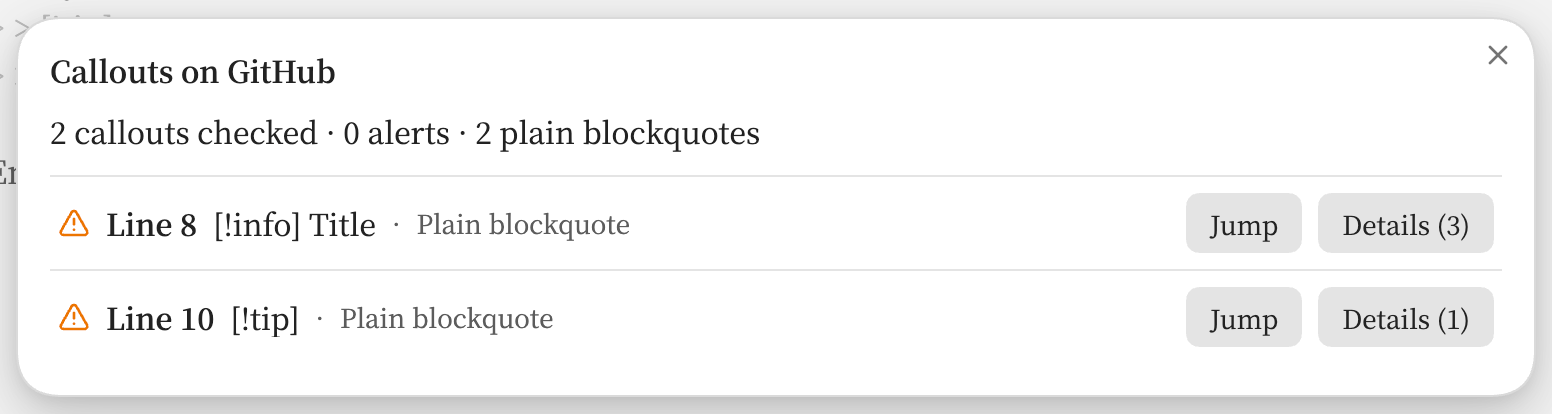
In 0.5.0, the command reads the saved note in Reading view and includes unsaved edits in the editor. Each row shows the note line, header, and whether GitHub displays an alert or a plain blockquote. Details (3) opens the three reasons for that row. Jump moves the cursor to the header in the editor or scrolls to the callout in Reading view. If the note changes, run the command again for current line numbers.
Code backgrounds
Version availability
Code-block background tinting and the renamed Code background toggle are available in 0.4.0 and later. Earlier versions tint inline code.
Inline code and code block backgrounds take their callout's color in Reading View and Live Preview, including nested callouts. Syntax highlighting keeps the theme's colors, and inline code in a title follows the title's text color. Toggle Callouts → Code background; it is on by default.
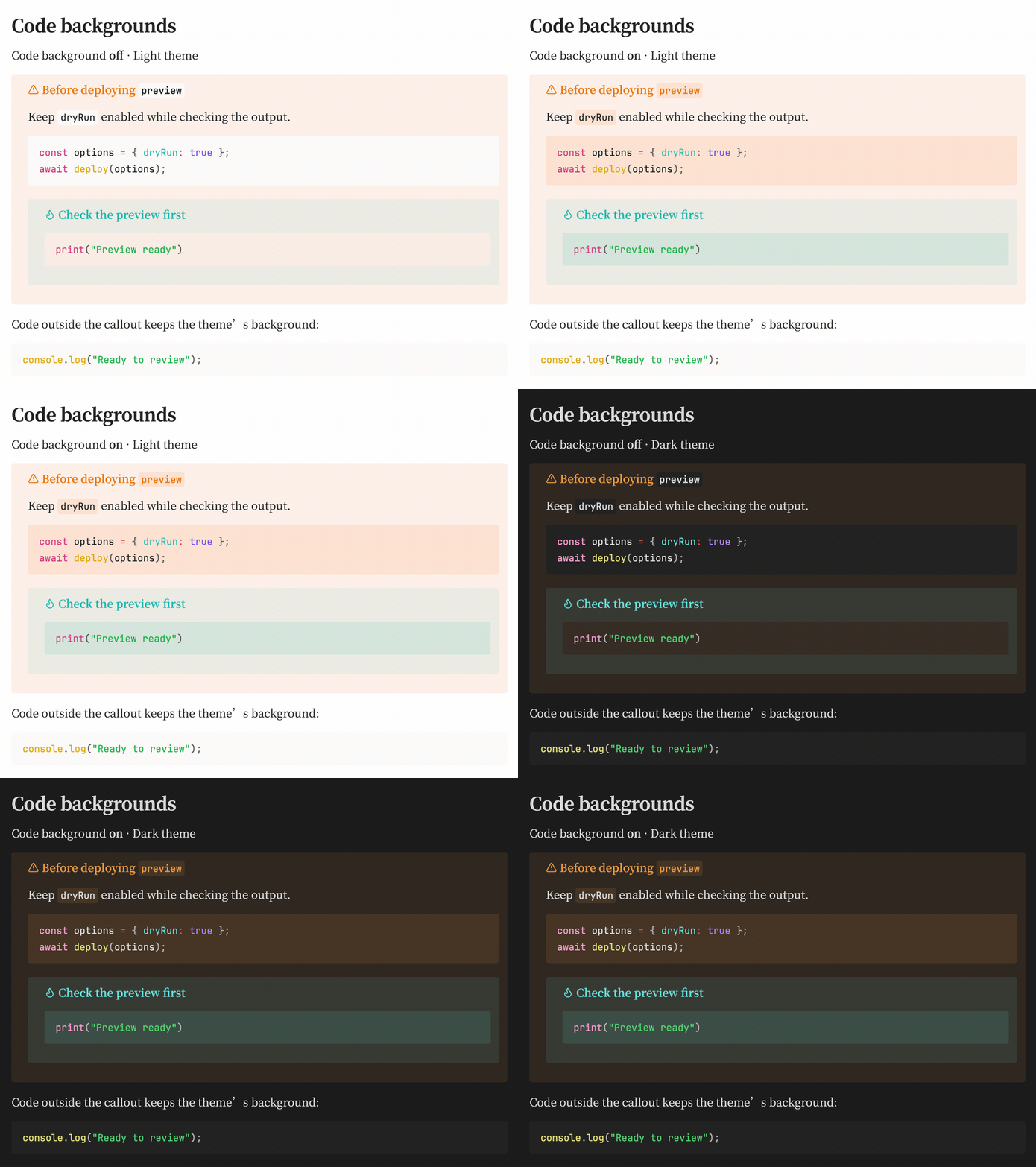
The recording switches Code background off and on in both themes. The outer warning and nested tip each supply their own background color; the JavaScript/Python highlighting and code outside the callout stay unchanged within each theme.
Try the nested example in a note:
> [!warning] Before deploying `preview`
> Keep `dryRun` enabled while checking the output.
>
> ```javascript
> const options = { dryRun: true };
> await deploy(options);
> ```
>
> > [!tip] Check the preview first
> > ```python
> > print("Preview ready")
> > ```
GitHub folders
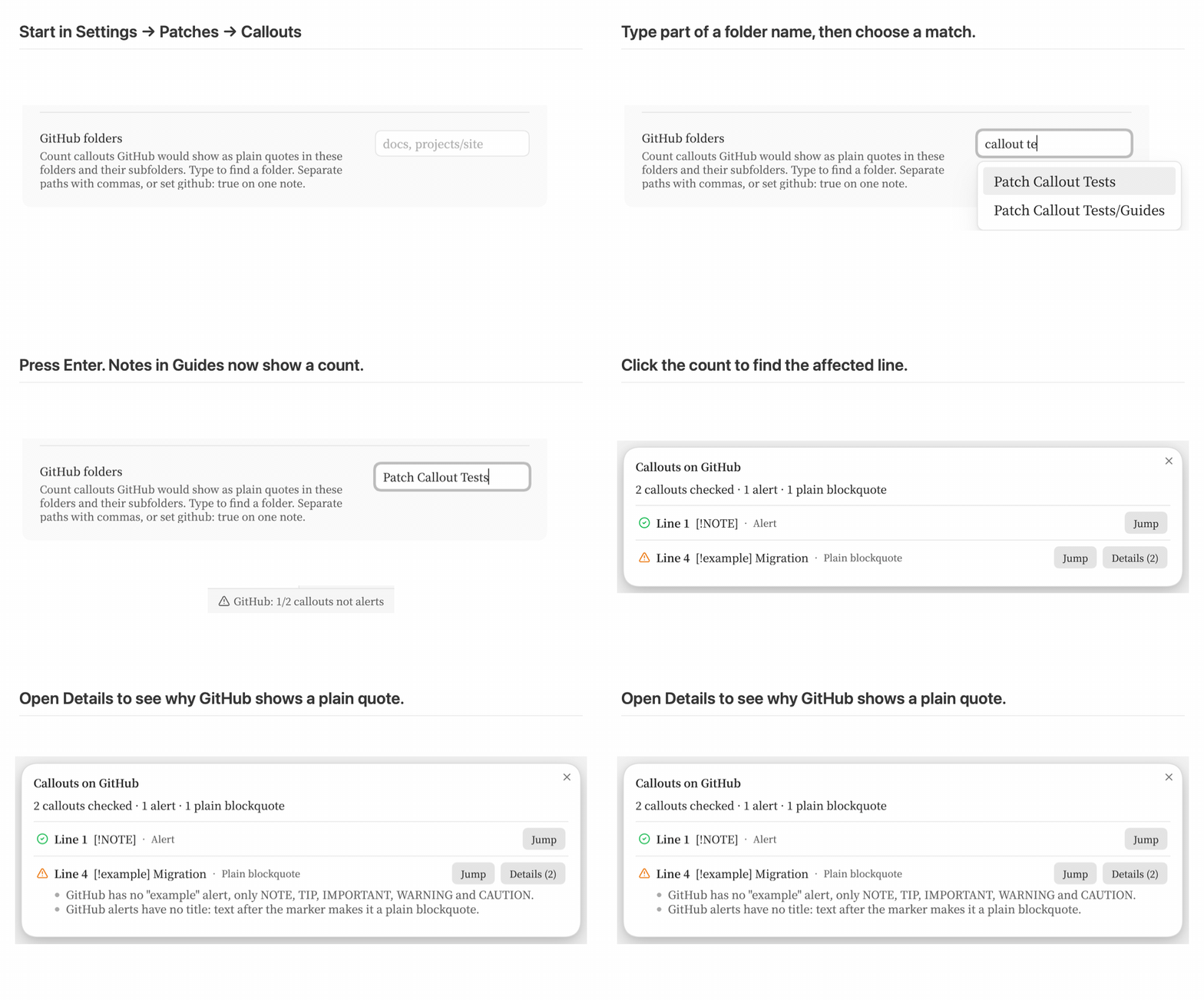
With GitHub compatibility enabled, choose a vault folder to count the callouts GitHub would show as plain blockquotes in its notes and subfolders. In 0.5.0, type part of a folder path and click a match, or use the arrow keys and press Enter. Esc closes the suggestions. Use a comma to add another folder, or move the cursor back to replace an earlier entry. The field also accepts manually entered paths such as docs, projects/site. Commas separate entries, so paths containing a comma cannot be selected.
The recording selects Patch Callout Tests. A note in its Guides subfolder contains a supported [!NOTE] and an Obsidian [!example]. Click the 1/2 status bar count, then Details (2) on line 4 to read why GitHub displays that callout as a plain blockquote. All checks run in the vault. For a single note, set github: true in its properties.