Math formatting
Run Patches: Format math block with the cursor inside a $$ block, or Format all math blocks in note.
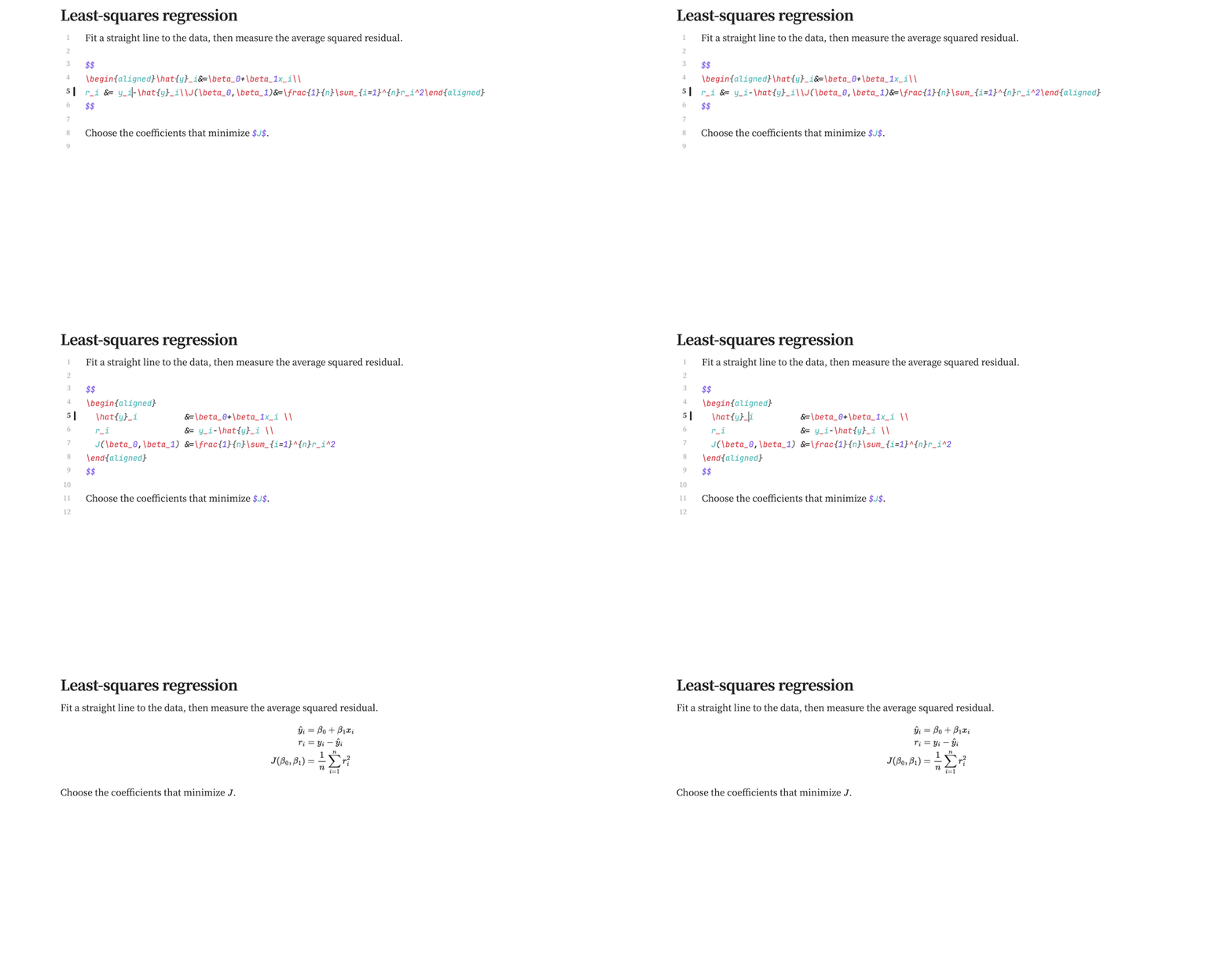
Before
$$
\begin{aligned}\hat{y}_i&=\beta_0+\beta_1x_i\\
r_i &= y_i-\hat{y}_i\\J(\beta_0,\beta_1)&=\frac{1}{n}\sum_{i=1}^{n}r_i^2\end{aligned}
$$
After
$$
\begin{aligned}
  \hat{y}_i          &=\beta_0+\beta_1x_i \\
  r_i                &= y_i-\hat{y}_i \\
  J(\beta_0,\beta_1) &=\frac{1}{n}\sum_{i=1}^{n}r_i^2
\end{aligned}
$$
The formatter changes whitespace while preserving formulas. It indents environments and aligns rows in aligned, align, alignat, split, cases, matrices, array, and gathered. Callout and list markers are preserved; unsupported or malformed blocks are left unchanged.
Under Math Format, choose 2 or 4 spaces of indentation and whether to align & and row endings. To format on lint, add Format all math blocks in note to Linter's custom commands.
Working with selections
Use Format math block for the block at the cursor, or Format all math blocks in note for the current note. Review the result in your normal math renderer; Patches formats source and does not replace MathJax.